SaaS procurement features: requests, quotes and approvals
Scout SaaS is SaaS procurement software for teams that collect their own quotes and need a clear approval process. Each section below says what a feature does, what data it stores and how it looks in practice.
Software request intake
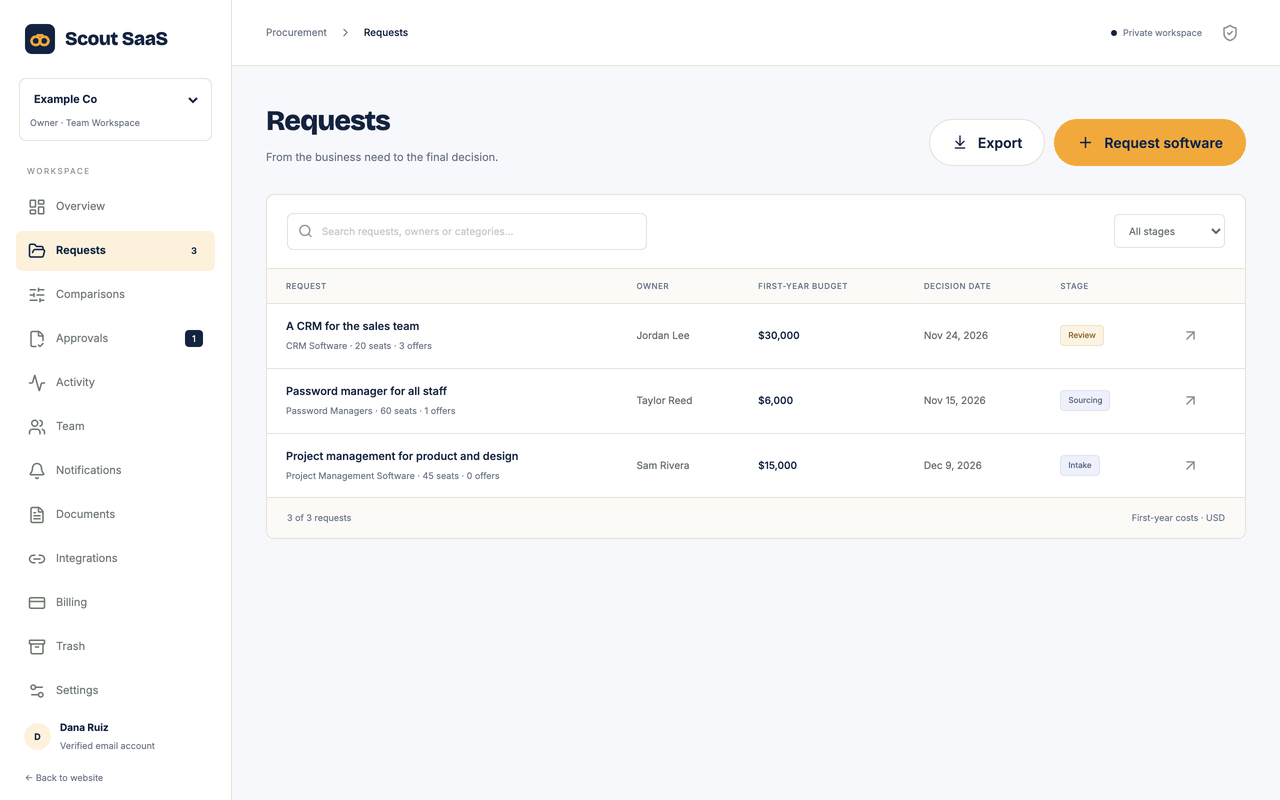
Every purchase starts as a request with a written business need. The record moves through the stages Intake, Sourcing, Review, Approved, Purchased or Declined, so everyone can see where it stands. Nothing lives in a chat thread any more.
Data it stores or shows: Request name, business need, requester, seats, budget, decision date, stage and notes.
Example: Marketing asks for an e-signature tool for 25 seats with a budget of $6,000 and a decision date at the end of the month.
Vendor suggestions from the catalog
Choose a category and Scout SaaS lists vendors from its software directory. You see logos, published prices and security facts such as SAML SSO, SCIM and audit logs before you ask anyone for an offer. Adding a vendor as a quote copies its name into the request.
Data it stores or shows: A reference to the directory entry for each quote. Published prices and security facts are shown as a reference and are not treated as the vendor’s offer.
Example: For a request in the e-signature category you add two vendors from the list and check which of them offer SAML SSO.
Comparable vendor quotes
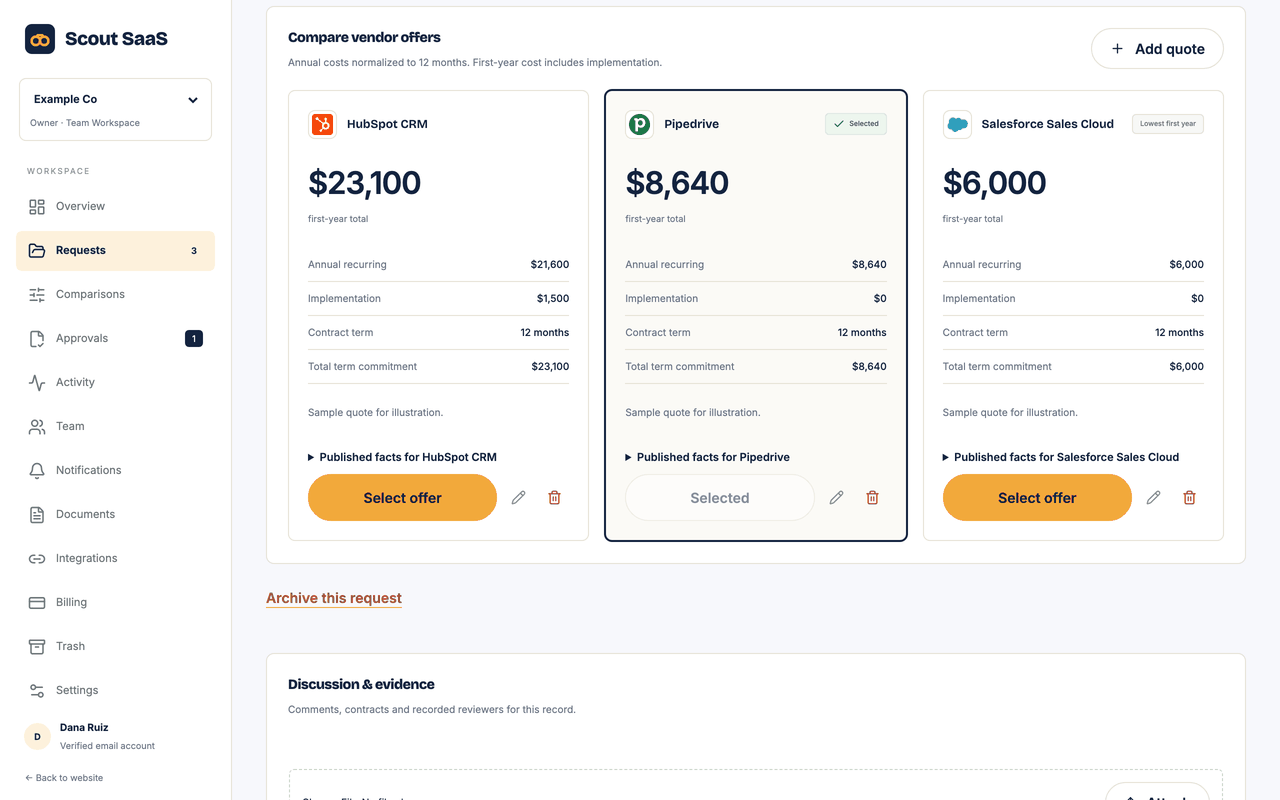
Enter each offer you receive with its recurring cost, implementation fee and contract term. Scout SaaS puts them side by side on the same basis, so a monthly quote and an annual quote can be compared fairly. You select one quote, and the budget check runs against that choice.
Data it stores or shows: Per quote: vendor, annual cost, implementation fee, contract term, the selected flag and the link to the directory entry.
Example: Quote B costs $4,800 per year plus a $500 setup fee on a 12 month term. Quote C is cheaper per month but locks you in for 24 months, and the comparison shows both totals.
Security, legal and budget reviews
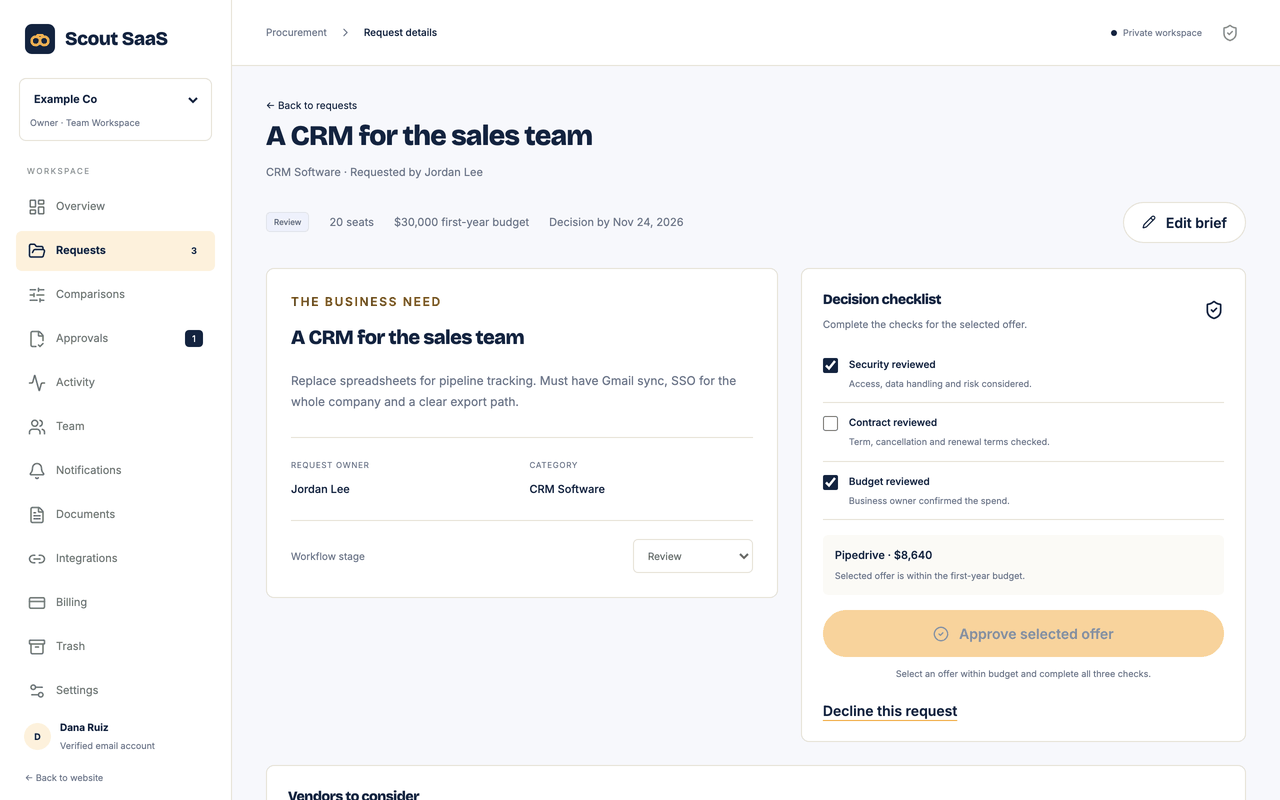
A request cannot move to Approved or Purchased until the security, legal and budget checks are recorded. Each check stores who made it and when. If the selected offer changes afterward, the affected checks are cleared so an old approval cannot cover a new price.
Data it stores or shows: For each check: the reviewer, the time, a short note and a fingerprint of the selected quote it applies to.
Example: The security reviewer ticks the check for quote B. Later someone swaps in quote C, and the security check goes back to pending.
Team accountability
Invite colleagues as owners, admins, members, reviewers or viewers. Members edit requests and quotes, while reviewers record checks and finalize decisions. The server enforces these roles on every request, even if a browser control is bypassed.
Data it stores or shows: Members with their email address and role, and invitations that expire after seven days.
Example: The requester can edit the brief, but only the security lead can mark the security check as passed.
Contract context
Attach order forms, security questionnaires and emails to the request they belong to. Comments and notifications stay on the same record, and archived requests can be restored later with everything intact.
Data it stores or shows: Uploaded files up to 10 MB each, comments, in-app notifications and the activity history of the request.
Example: Upload the vendor’s security questionnaire to the request and comment which answers still need follow-up.
Portable records and MCP
Download your requests and quotes as CSV or as a JSON backup. For AI assistants that support MCP, you can create a read-only key for one workspace, with an expiry date, and revoke it whenever you like.
Data it stores or shows: Export files are generated on request. MCP keys are stored as hashes together with their expiry and last-use time.
Example: Create a key that lasts 30 days and ask your assistant which requests are waiting for a security review.
Know the scope before you subscribe
Your team sources and verifies vendor offers. Scout SaaS suggests vendors and shows their published prices and security facts from the Scout SaaS software directory as a reference; it does not negotiate with suppliers, purchase software or replace the quotes you collect. Email reminders require a configured email provider. MCP reads authorized records; it does not silently change contracts.